Discover student orientation insights, tips, and strategies from experts
Guide to effective student orientations
Download the eBook
-cropped.svg)

A pipeline, not a spreadsheet
Every enquiry moves through one visible pipeline — from first interest to a signed, paid, enrolled student — instead of living across email threads, spreadsheets and sticky notes.
The question was never whether five people can run admissions. It is whether five people should be re-typing what the parent already filled in.
Request a DemoEnquiries tracked in inboxes and spreadsheets — nobody has one view of where each family stands.
Every applicant sits on one Master Directory across all 15 stages of the lifecycle — searchable, always current.
Offer letters typed up one at a time, chased for signatures by hand.
Offer letters and fee plans auto-attach and go out for e-signature — conditional or full offers, tracked to completion.
Enrolment only happens once someone manually checks payment, signature and documents.
The moment an offer is signed and paid, EduNest creates the student account, issues the ID card and provisions the parent portal — automatically.
Public expression-of-interest forms, grade-level capacity cards, link-open tracking.
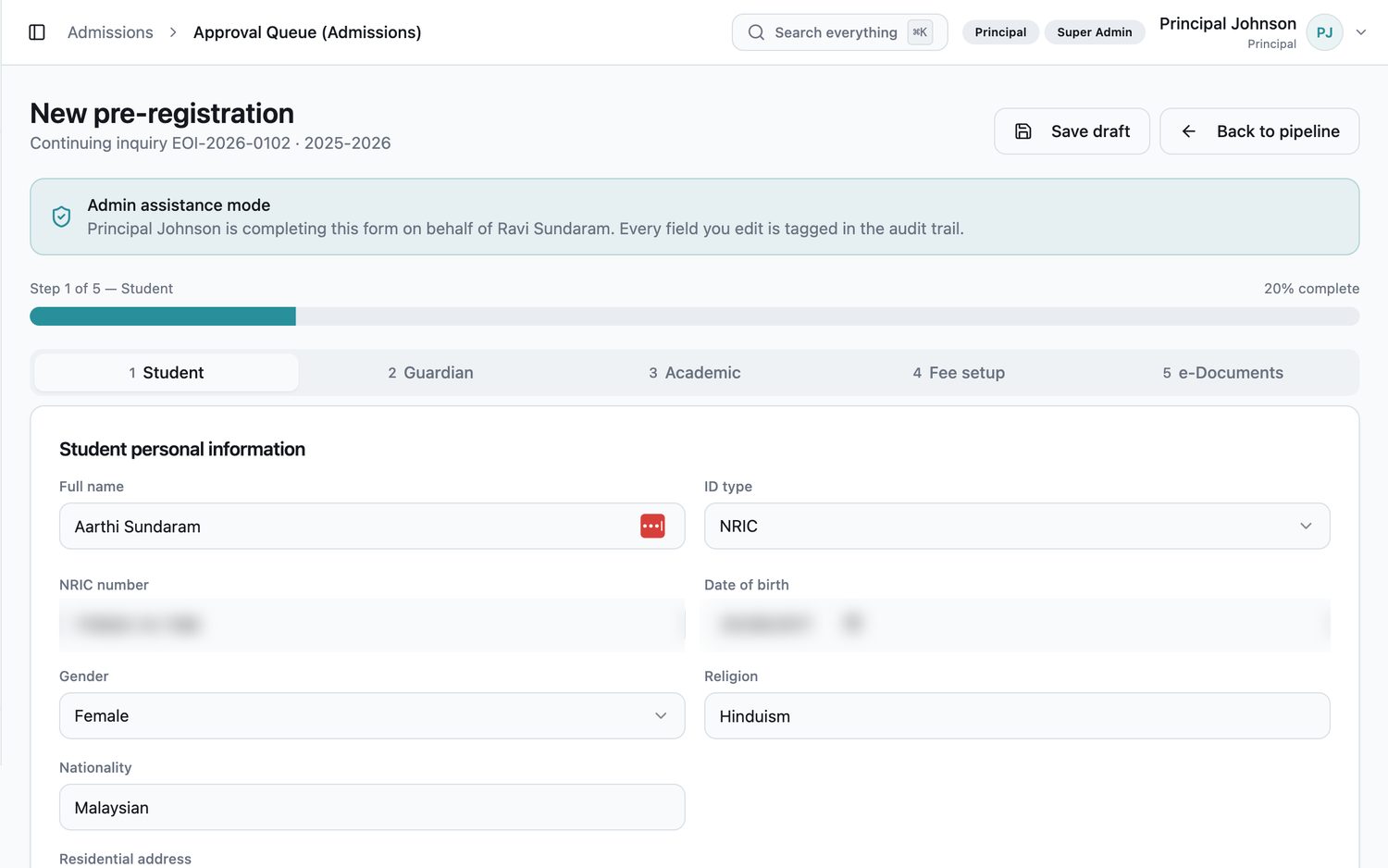
Guided parent wizard — staff can complete it on a family's behalf when needed.
Principal review with e-signature; conditional offers clear automatically once documents verify.
Offer and fee policy pre-attached, e-signed, emailed and stored in an audited e-document vault.
Signed + paid triggers the student account, card number and parent portal — no manual step.
Two screens from the live admissions workspace.
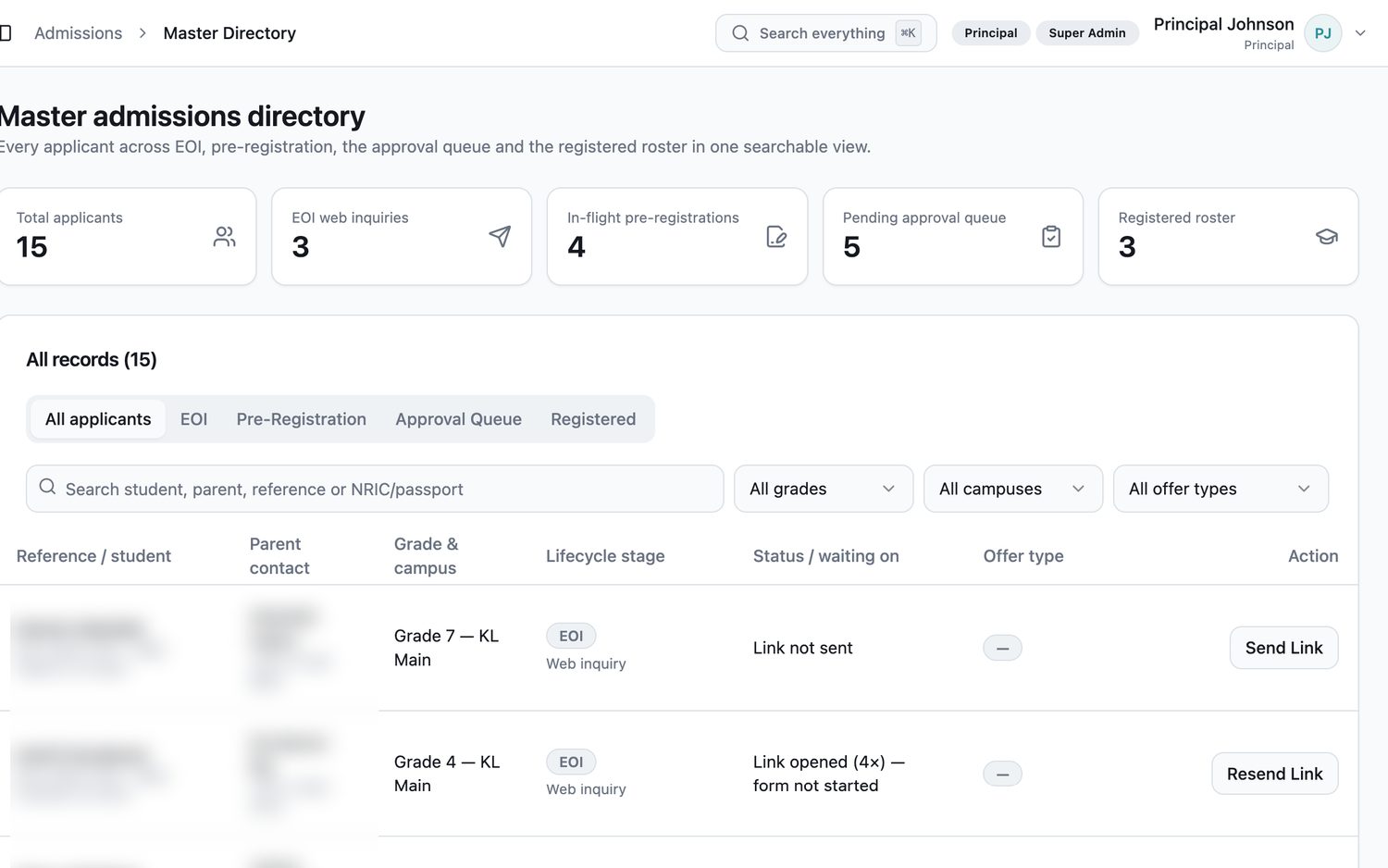
Master Directory — a unified, searchable view of every applicant across all 15 lifecycle stages.
Condition clearance — conditional offers convert to full offers automatically as documents verify.
E-document vault — every signed offer stored with full audit logging.
Capacity tracking — grade-level capacity cards keep intake visible in real time.


