EduNest / Parents & Mobile

School Parent Portal & Mobile App for Malaysian Schools

The parent experience is a product, not an afterthought

One portal for all their children — fees, grades, attendance, leave requests and messages — on the web and on the phone. Fewer calls to the office, fewer chased payments, fewer "nobody told us" conversations.

Request a Demo
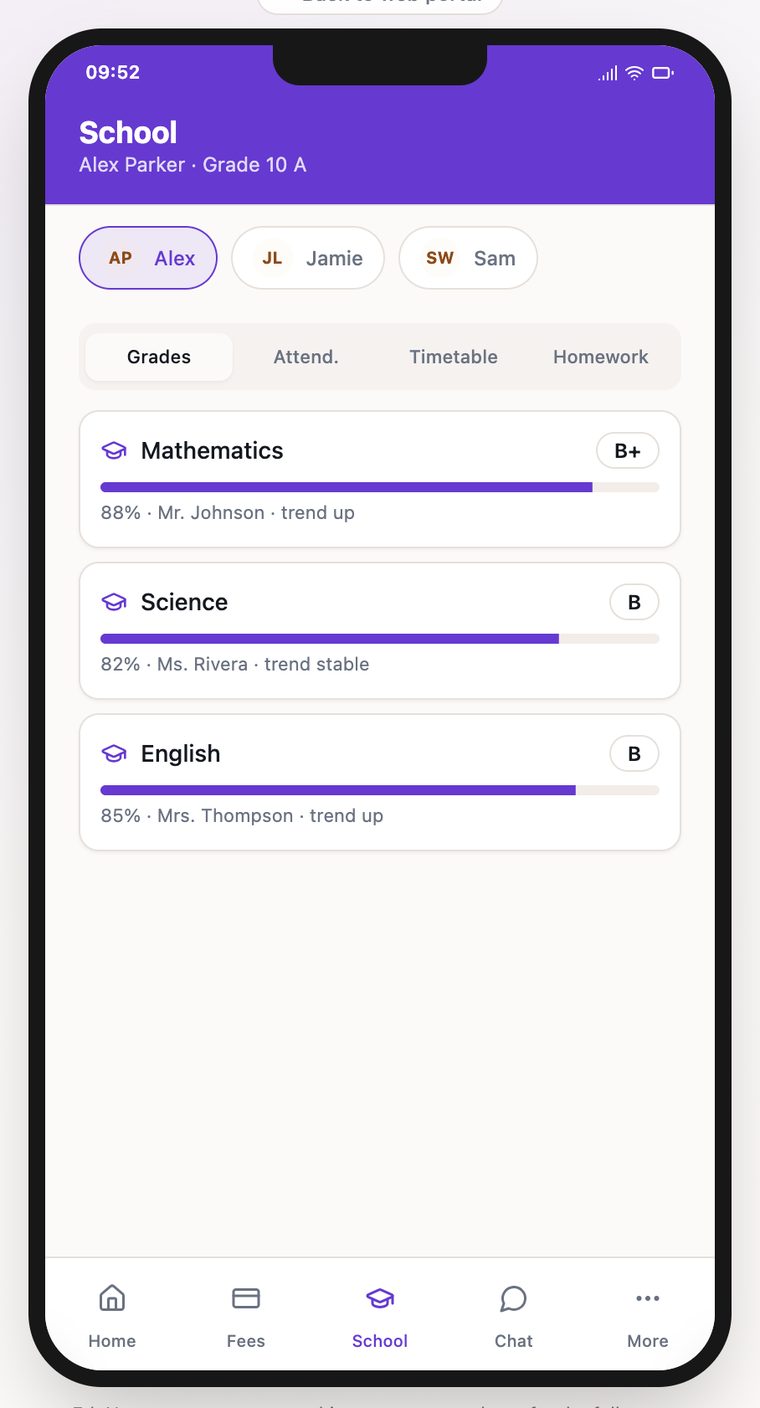
EduNest parent mobile app showing per-subject grades, teacher names and a multi-child switcher

Parents with three children juggle three sets of letters, WhatsApp groups and payment reminders.

One family login with a global child switcher — every child's grades, attendance and fees in one place.

Fee reminders go out by hand, and payment means a bank transfer plus a screenshot to the office.

Invoices and statements sit in the portal, payable by DuitNow QR or payment link, with receipts issued instantly.

A sick child means a phone call, a written note, and someone manually correcting the register later.

Parents submit a leave request in the app; once approved it syncs straight into attendance.

Results arrive as a printed report card at the end of term, with no visibility in between.

Coursework status, weighted term grades and attendance are visible as they happen, with push alerts on updates.

What families actually use it for

Family dashboard

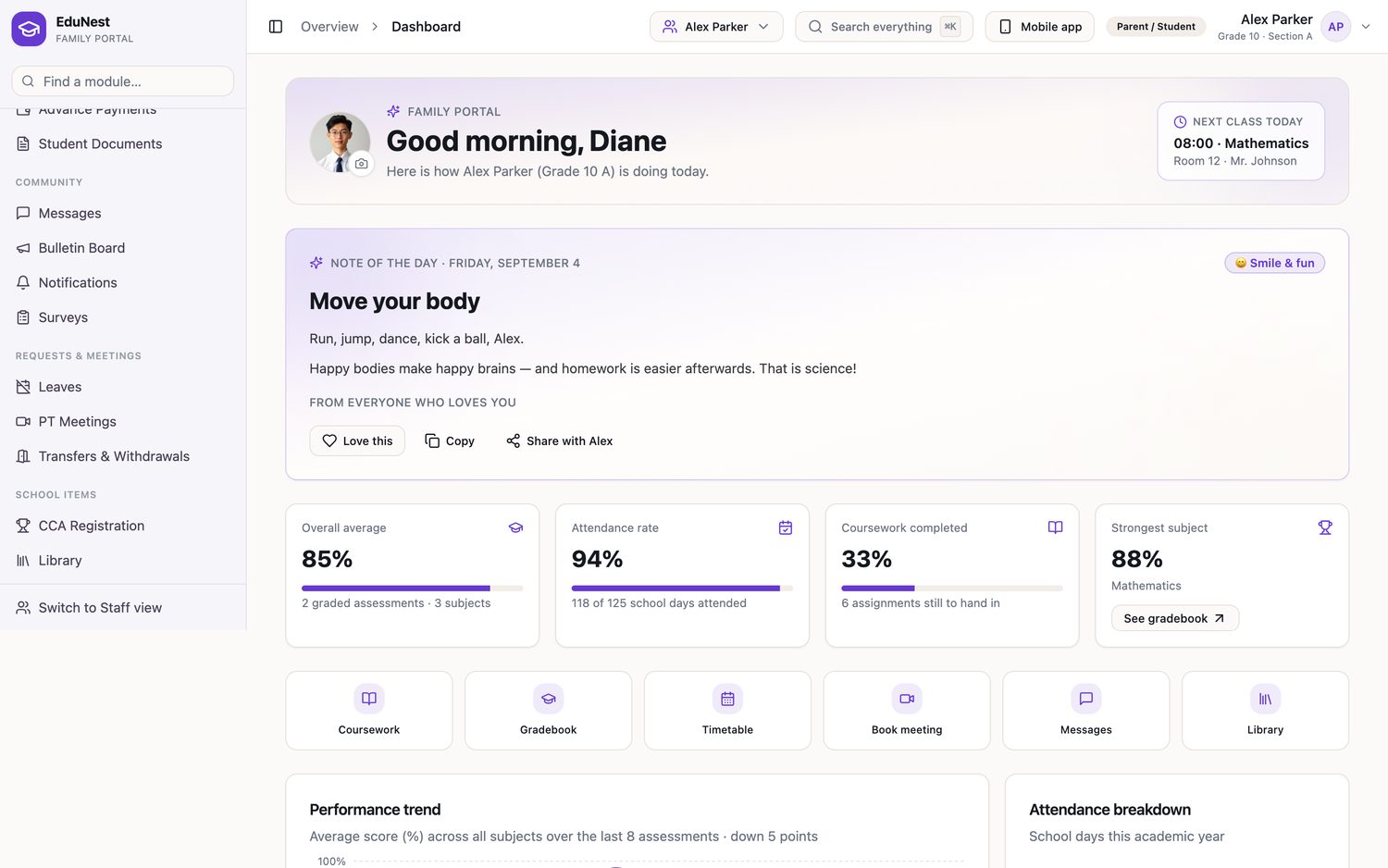
Next-class status, today's timetable, quick actions and a daily note.

Fees & receipts

Invoices, statements, DuitNow QR, payment links and receipt history.

Report cards

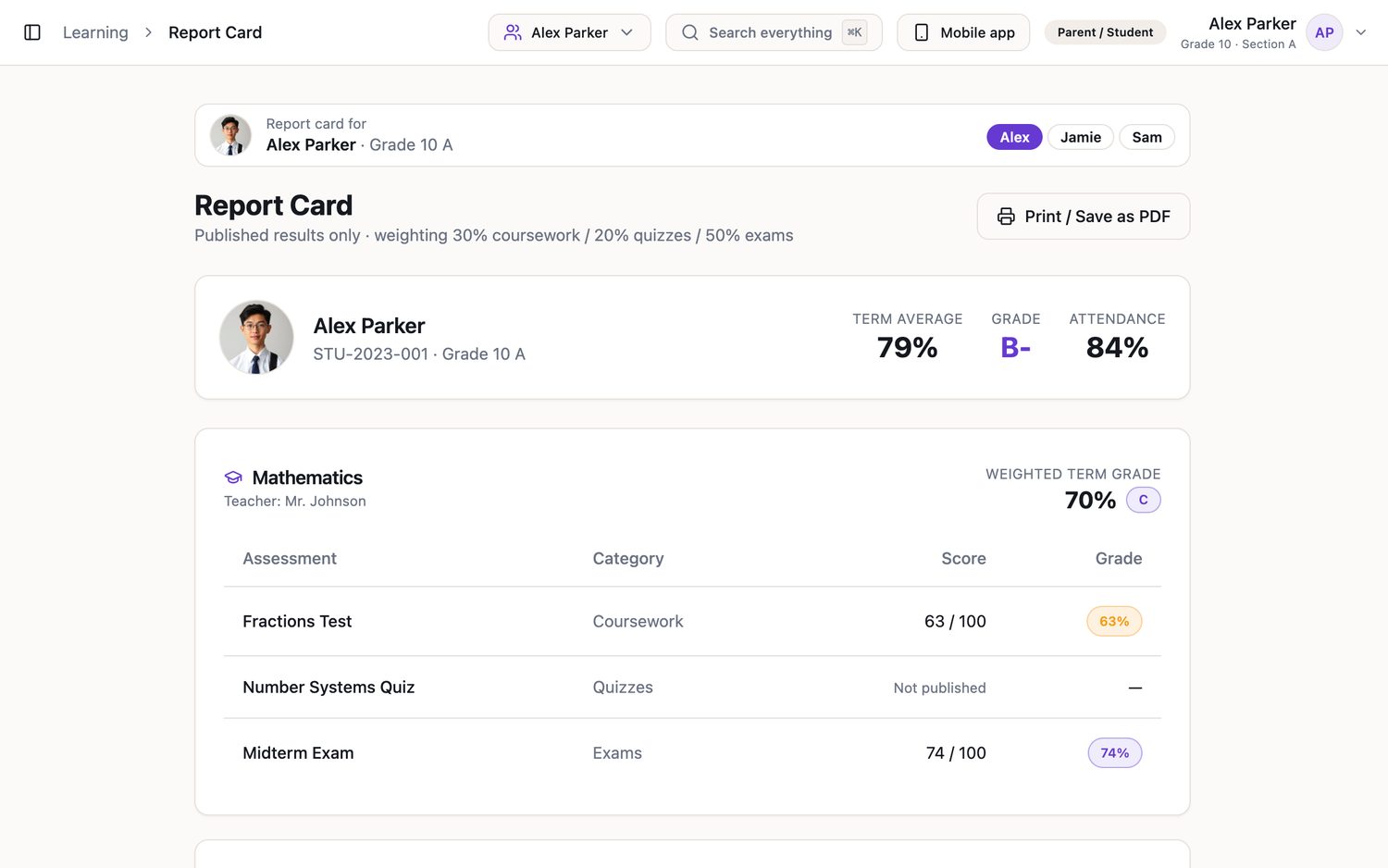
Grades, weighted term grade and attendance in the same view.

Leave requests

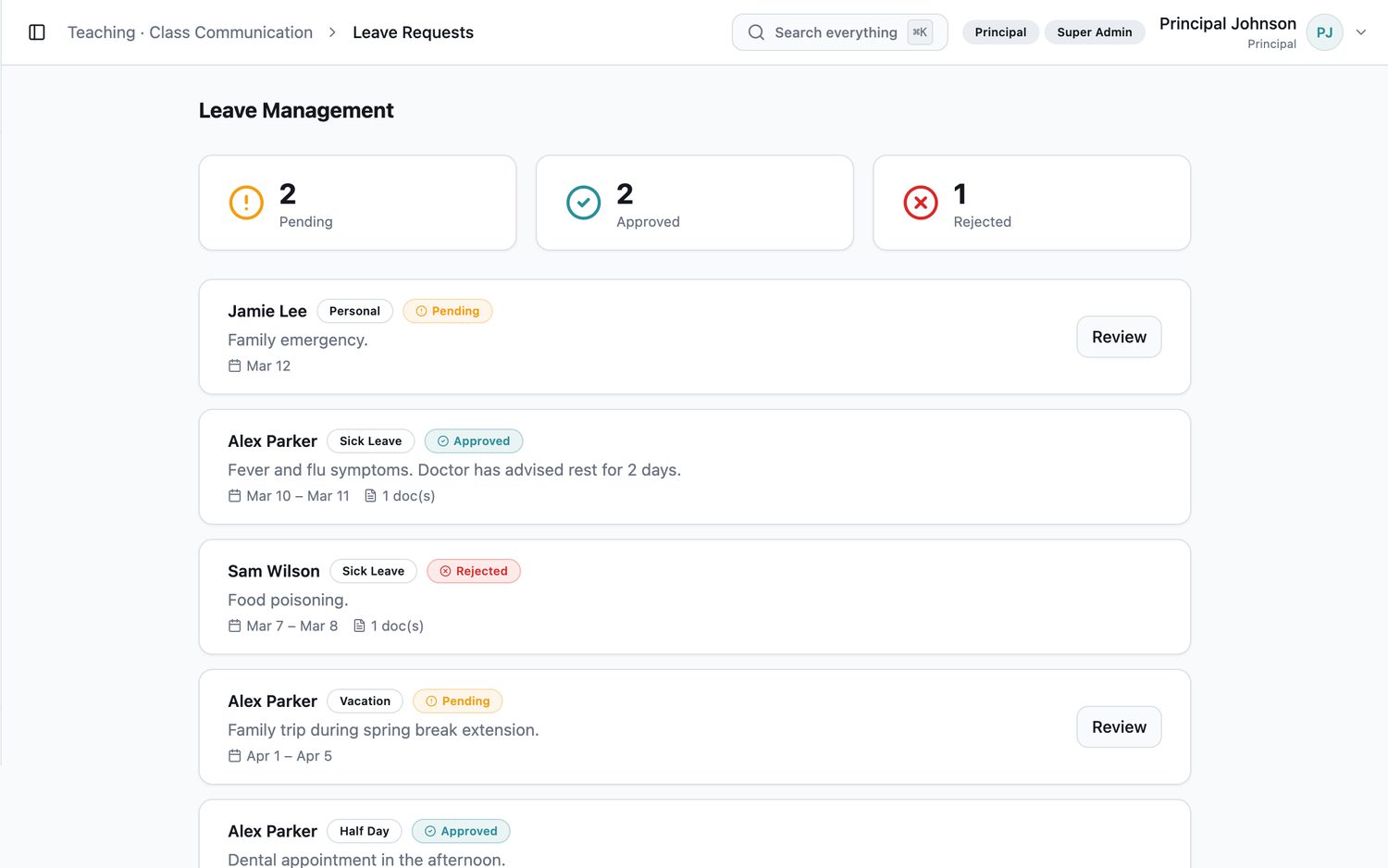
Submitted by the parent, approved by admin, synced to attendance.

Messaging

Direct conversations with staff, plus school announcements.

Meeting booking

Calendly-style parent-teacher slots with video links attached.

Calendar

Term dates, events and timetable, per branch.

Student portal

Students get coursework, quizzes, submissions, timetable and library access.

In the product

What families actually see

The family portal is its own workspace, not a cut-down staff view. This is a parent signed in against one of their children.
Dashboard
EduNest family portal dashboard showing a child's average, attendance rate, timetable and outstanding fees
Average, attendance, coursework outstanding, today's timetable, school announcements and the fee account, on one screen.
Report card
EduNest parent report card view with weighted term grades per subject and attendance summary
Published results only, with the 30/20/50 weighting shown and a child switcher for families with more than one at the school.
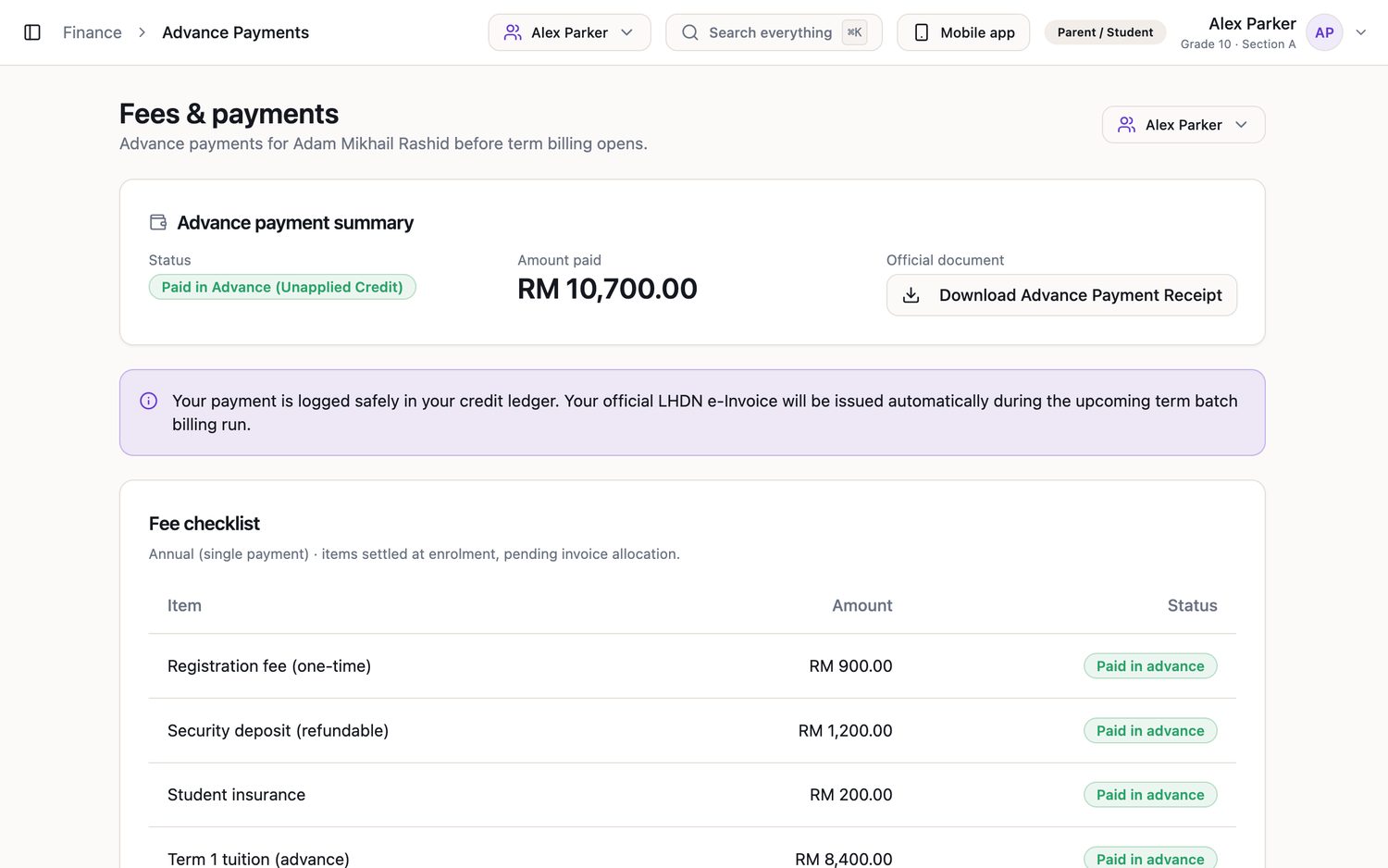
Fees & payments
EduNest parent fees and advance payments screen with LHDN e-Invoice status
An advance payment sitting as unapplied credit, with the LHDN e-Invoice explained to the parent in plain language.
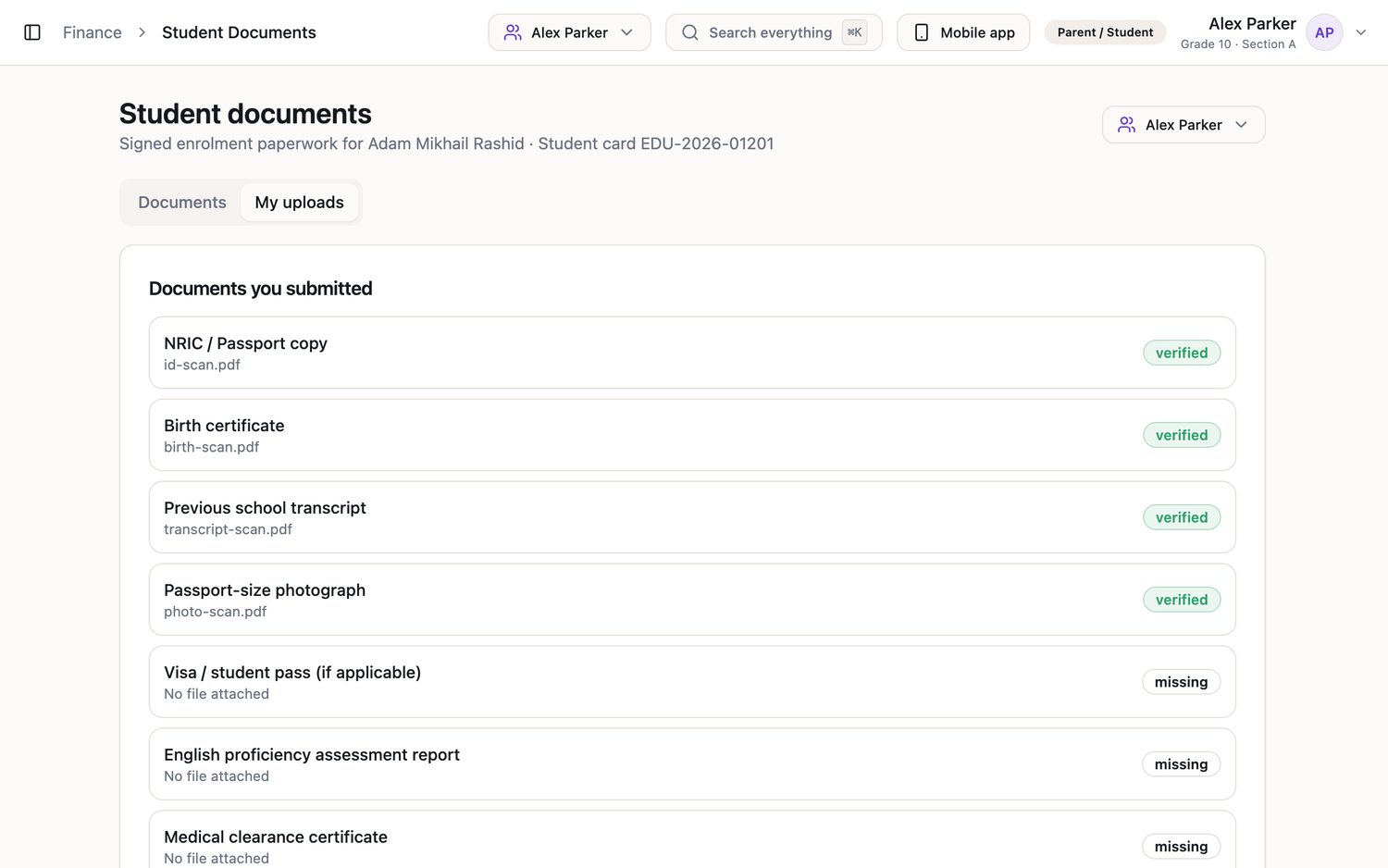
Student documents
EduNest student document checklist showing verified and missing enrolment paperwork
The enrolment checklist parents chase themselves, with verified and missing marked clearly.
On the phone

The same portal, in a pocket

Not a cut-down companion app — the same records, read and paid from the phone most parents actually use.
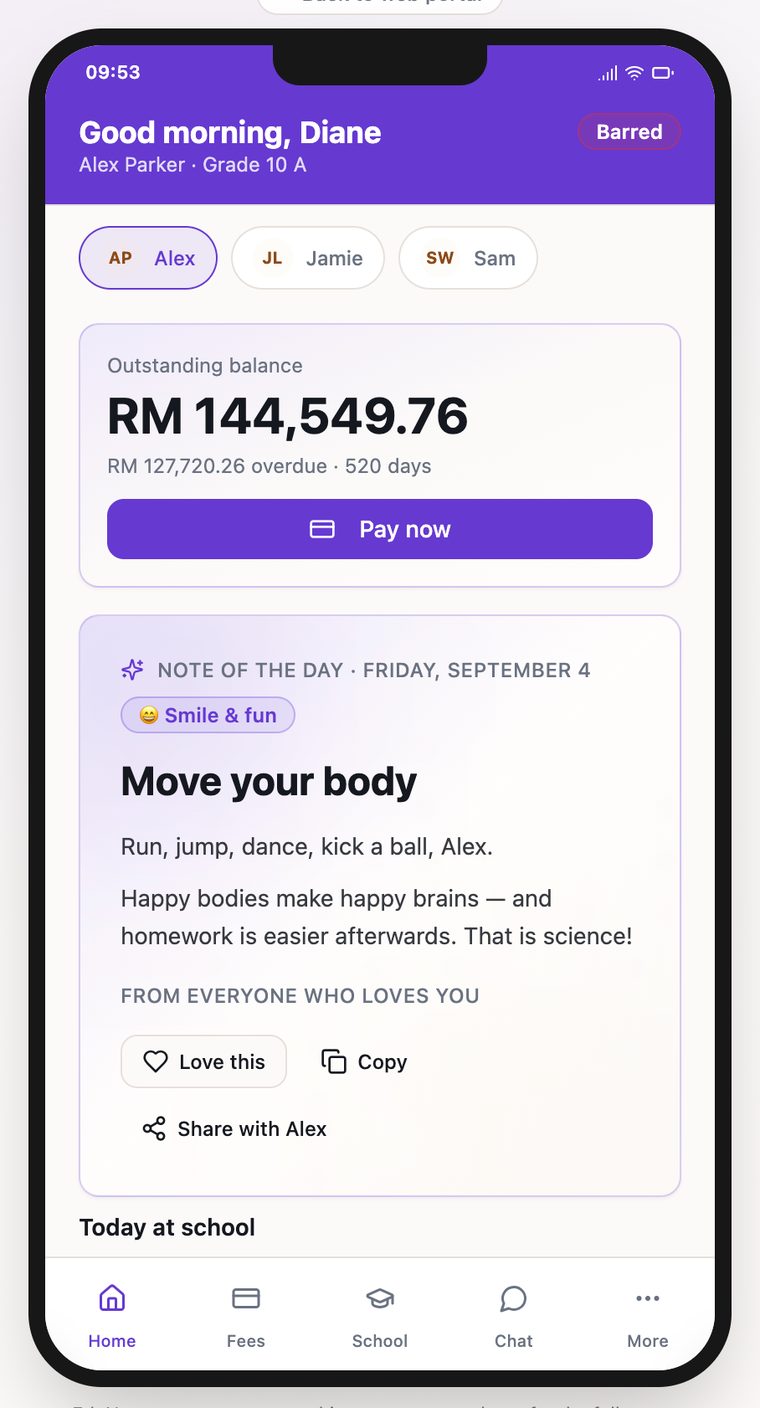
EduNest parent mobile app home screen showing the outstanding balance and a pay now button
Home — outstanding balance, one-tap payment and the day's note.
EduNest parent mobile app school tab showing per-subject grades, teacher names and a multi-child switcher
School — per-subject grades and teachers, with the multi-child switcher.
The other side of it

Where the staff answer lands

Every parent action has a staff screen behind it — on the same database, so nothing is re-keyed.
Leave requests
EduNest staff view of parent-submitted leave requests awaiting approval
Submitted by the parent in the portal, approved here, then synced straight into the attendance record — no second entry.
Parent–teacher meetings
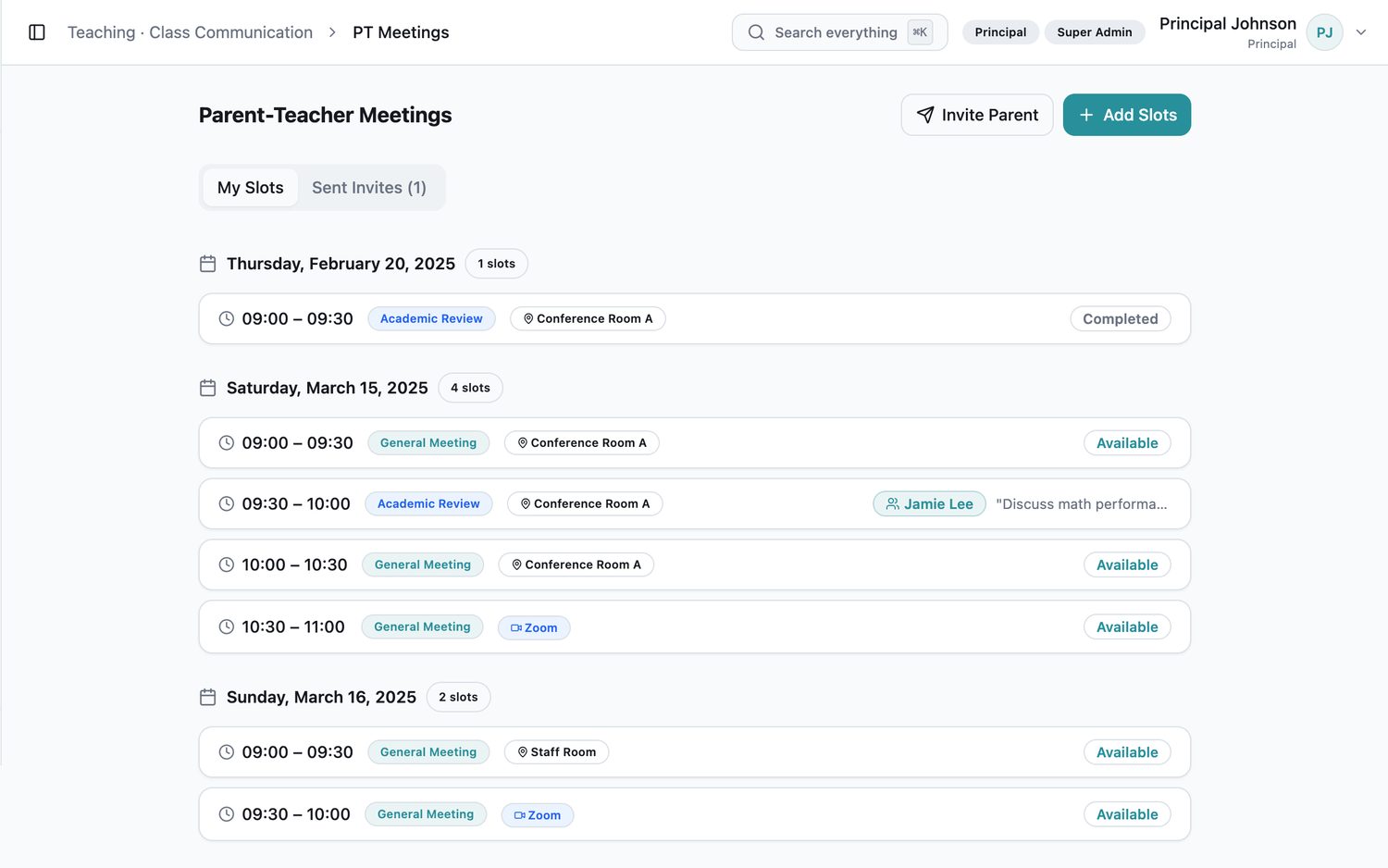
EduNest parent-teacher meeting slots with bookings and video links
The meeting slots parents book against, by room or video link.
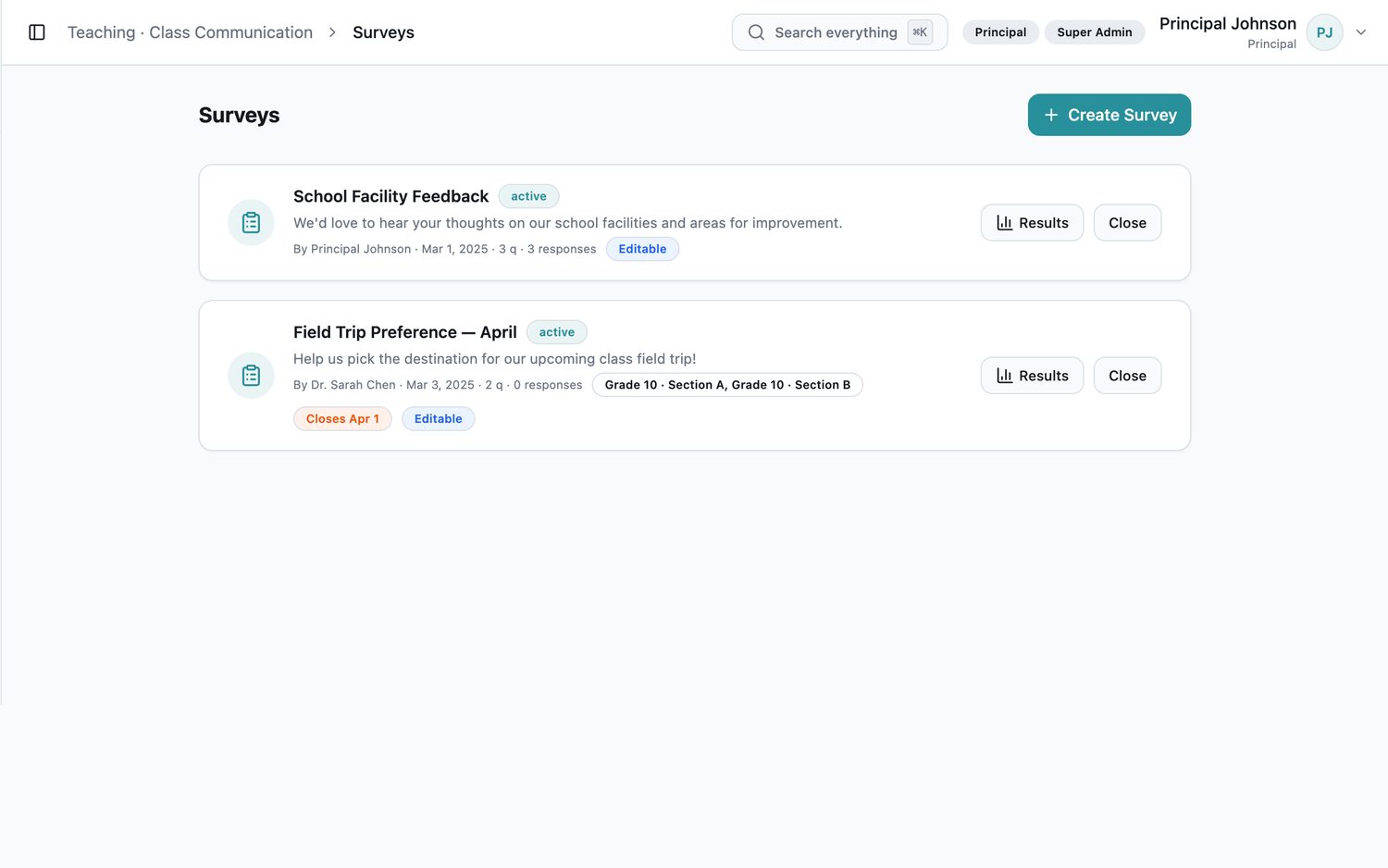
Surveys
EduNest survey builder listing parent and staff surveys with audience, status and response counts
Built here, targeted at a year group or the whole parent body, and answered in the portal or the app.

See the parent portal and mobile app in a live demo

Request a Demo