Discover student orientation insights, tips, and strategies from experts
Guide to effective student orientations
Download the eBook


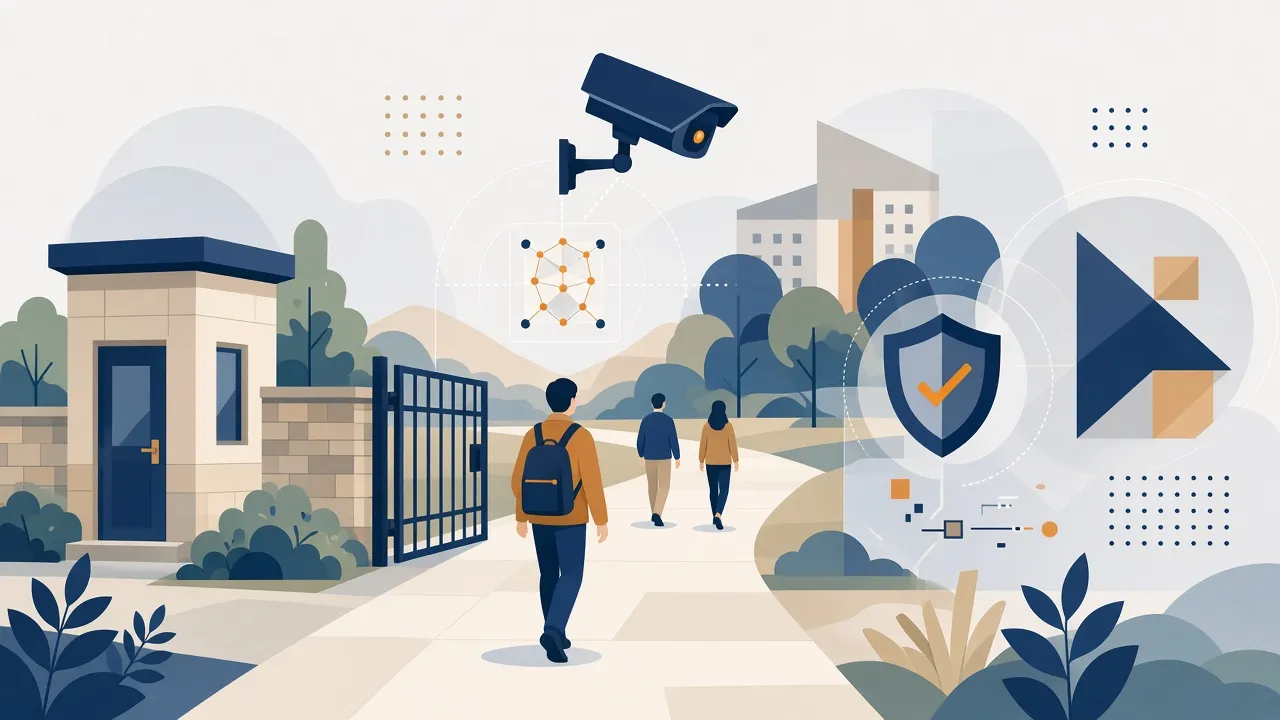
Universities and schools in Malaysia are moving away from ID cards, PIN pads and paper sign-in sheets. Cards get lost or lent to friends, queues build up at turnstiles, and staff spend hours reconciling attendance. Facial recognition fixes much of this: a camera confirms who someone is in under a second, with no card or touch needed.
This guide covers how the technology works, where it's useful on a campus, what Malaysian institutions need to do to stay compliant, and how to pick a system. Each section links to a more detailed article.
A facial recognition system turns a face into a mathematical template (a set of numbers, not a photo) and compares it against the templates of enrolled students, staff and approved visitors. When a match clears a confidence threshold, the system takes an action: it opens a gate, marks attendance, approves a purchase or raises an alert.
A modern deployment has four parts:
For the technical details and the safety safeguards, read Facial Recognition in Universities: How It Works and Its Safety.
Card-based systems have three problems that never go away: cards get lost, they get shared, and somebody has to administer them. Facial recognition removes the card completely, so you can be sure the person walking through a gate is the person on the record. We cover the bigger picture in Beyond ID Cards: Is Facial Recognition the Key to Campus Transformation?, and compare the two approaches directly in Facial Recognition Attendance vs RFID: Which Is Best for Schools and Universities?
For a quick overview, start with 8 Everyday Uses of Facial Recognition in Universities. The main uses are summarised below.
Students are marked present as they walk into a classroom or school gate. There's no roll call and no proxy attendance, and parents can be notified the same day. See 5 Benefits of Using Facial Recognition for Student Attendance in K-12.
Clock-in records go straight to HR and payroll, which ends buddy-punching and the work of reconciling timesheets by hand. See Automating Staff & Faculty Attendance with Facial Recognition Systems.
Turnstiles and doors open for enrolled people, and watchlist alerts flag banned individuals in real time. See Enhancing Overall Campus Security with AI-Powered Facial Recognition. For vehicle entry points, pairing facial recognition with number-plate recognition covers both people and cars. See Integrating ANPR and Facial Recognition for Comprehensive Campus Security.
Visitors pre-register, are verified on arrival and get time-limited access, which replaces the paper logbook at the guardhouse. See How Smart AI Facial Recognition Streamlines Campus Visitor Management.
Only residents get in, entry and exit times are logged for curfew and safety checks, and wardens can see who is inside during an emergency. See Facial Recognition for Hostel & Dormitory Access: Securing Student Residences.
Candidates are verified at the exam hall door, or continuously during online exams, so the person sitting the paper is the person registered for it. See Remote Exam Proctoring: Using Facial Recognition to Prevent Academic Fraud.
Students pay by face at the cafeteria, kiosks and other paid services, linked to a campus wallet. See Cashless Campuses: Facial Recognition for Cafeteria Payments and Services.
Students walk through library gates and borrow from self-service zones without a card. See Streamlining Library Access and Book Borrowing with Facial Recognition.
Facial recognition is only useful if it connects to your existing systems. A match needs to update the student record, the attendance register, HR, the hostel system or the finance ledger without anyone re-entering data. Before choosing a vendor, check that the system offers:
Integrating Facial Recognition with School Management & Access Control Hardware covers the integration patterns in detail. For institutions that want attendance, access and student records on one platform, see our campus management system.
Biometric data is the most sensitive data a campus will hold, and Malaysian law treats it that way. The Personal Data Protection (Amendment) Act 2024 added biometric data to the PDPA's definition of sensitive personal data. From 1 June 2025, data users must appoint a Data Protection Officer and notify the Commissioner of personal data breaches.
In practice, a compliant campus deployment:
Our Student Privacy & Data Security in Campus Facial Recognition: A Practical Compliance Guide goes through each step. (This is general information, not legal advice. Confirm your obligations with your legal or compliance team.)
Costs depend on how many entry points and cameras you need, whether matching runs on edge devices or a server, and how much integration work is involved. Returns usually come from four places: fewer staff hours spent on attendance and access administration, no more card replacement costs, fewer security incidents, and recovered fees or payroll leakage. ROI of Contactless Biometrics: Cost Comparison for K-12 and Higher Ed compares the costs side by side.
GR Tech builds facial recognition for education from Cyberjaya, with 60+ deployments behind it. Our platform:
We integrate with the student, campus and library systems you already use, or build the custom pieces you need.
See our facial recognition solution → or request a demo to plan a pilot for your campus.
Is facial recognition legal in Malaysian schools and universities?
Yes, provided it complies with the PDPA. Biometric data is sensitive personal data, so you need explicit consent, a clear purpose, security safeguards and defined retention periods.
Does it work with masks, headscarves or glasses?
Modern systems handle glasses and headscarves well. Masks reduce accuracy on some systems. Test this during your pilot.
Can students be tracked everywhere on campus?
Only if the institution sets it up that way. Good deployments limit recognition to defined checkpoints, such as gates, classrooms and hostels, and document that purpose.
Do we need to replace our existing gates and cameras?
Usually not. Many deployments reuse existing turnstiles and IP cameras and add edge devices where needed.
How long does a deployment take?
A single-site pilot can typically go live within weeks. Campus-wide rollouts are phased by building or use case.
I'm a highly skilled project manager with extensive experience in the education technology industry. With a background in computer science and a passion for improving educational outcomes, I have dedicated my career to developing innovative software solutions that make learning more engaging, accessible, and effective.